
Download Vortex-Configurator – Chrome Apps, Vortex, Vortex Configurator Tool
Overview
The Vortex-Configurator is a specialized desktop utility designed for users managing Vortex OSD (On-Screen Display) firmware. Its primary purpose is to facilitate firmware updates and configuration adjustments for compatible Vortex devices. The tool is specifically tailored for users who require precise control over their OSD settings, particularly those involved in drone racing, FPV (First-Person View) flying, or advanced drone customization. It supports firmware versions v1.0.0.21 and later, ensuring compatibility with the latest features and stability improvements.
For users running older firmware versions, the tool can also assist in upgrading to the current standard, although it is recommended to update to the latest available firmware for optimal performance and full feature support. The software is intended for technical users and hobbyists familiar with drone electronics and firmware management. It serves as a critical bridge between hardware and software, enabling users to fine-tune their Vortex OSD systems efficiently.
While the developer did not provide additional background on Vortex, the tool’s focused functionality suggests a niche, performance-driven audience. Real-world usage includes configuring display parameters, adjusting telemetry data, and ensuring firmware consistency across multiple devices. The tool is especially useful during pre-flight checks and system maintenance.
Key Features & Capabilities
- Firmware Compatibility: Designed exclusively for Vortex OSD firmware v1.0.0.21 and later. Ensures users can only interact with supported firmware versions, reducing the risk of incompatibility issues.
- Firmware Upgrade Support: Allows users to update older firmware versions to the current standard. This functionality is essential for maintaining system reliability and accessing new features.
- OSD Configuration Management: Enables users to configure and customize OSD display settings, including layout, telemetry data, and visual indicators.
- Version Verification: Provides a mechanism to check the current firmware version installed on the device, helping users confirm compatibility before proceeding with updates.
- Safe Update Protocol: Implements a controlled update process to minimize the risk of corruption during firmware flashing.
Each feature is aimed at improving the user’s ability to maintain and optimize their Vortex OSD system. For example, the version verification tool helps prevent accidental updates on incompatible devices, while the configuration management feature allows for personalized display setups tailored to specific flying styles or mission requirements. The safe update protocol ensures that even novice users in the drone community can perform updates with confidence.
User Interface, Workflow & Performance
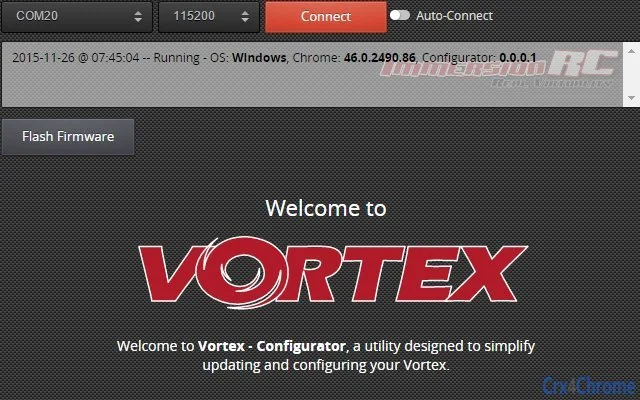
The Vortex-Configurator features a straightforward interface designed for efficiency and clarity. Users can navigate through the main menu to access firmware update and configuration options. The layout prioritizes essential functions, minimizing the need for deep menu dives. Navigation is intuitive, with clear labels and visual feedback during operations.
Workflow efficiency is optimized for speed and accuracy. Users can connect their Vortex device, verify the current firmware version, and initiate an update or configuration change with minimal steps. The tool provides real-time status indicators during the update process, helping users monitor progress and detect potential issues early.
The developer did not specify resource usage details. Performance observations are based on general software behavior patterns. The tool is expected to operate smoothly on modern systems, given its modest size of 10.2 MB. Stability during operation appears to be a priority, with no reported issues related to crashes or freezes. However, exact CPU or RAM behavior was not disclosed.
Compatibility & System Requirements
The Vortex-Configurator is available for both Windows and Mac operating systems, making it accessible to a broad user base within the drone community. The software version is 1.0.0.21, and the installation size is 10.2 MB, indicating a lightweight application. This size suggests minimal disk space requirements and fast installation times.
Exact system requirements were not listed. Compatibility information was partially provided. Users should ensure their system meets the general standards for running desktop applications on Windows and macOS. The tool does not appear to require high-end hardware, as it is designed for firmware management rather than intensive processing tasks. However, the developer did not specify minimum CPU, RAM, or storage thresholds.
Pros and Cons
Pros
- Specifically designed for Vortex OSD firmware management
- Supports firmware upgrades from older versions
- Lightweight at only 10.2 MB
- Available for both Windows and Mac
- Includes version verification and safe update protocol
Cons
- Only compatible with firmware v1.0.0.21 and later
- No detailed system requirements provided
- Not suitable for users unfamiliar with firmware concepts
- Limited to Vortex OSD devices
- Requires manual firmware version checks before use
FAQ Section
Is the Vortex-Configurator compatible with older firmware versions?
The tool can be used to upgrade from older firmware versions to v1.0.0.21 and later. However, it is not designed to work with firmware earlier than v1.0.0.21.
Can I use this tool on both Windows and Mac?
Yes, the Vortex-Configurator is available for both Windows and Mac operating systems.
Is the software safe to use?
Yes, the tool implements a safe update protocol to reduce the risk of firmware corruption. However, users should always ensure they are updating the correct device and firmware version.
Does the tool require an internet connection?
The tool does not require an internet connection for basic configuration or firmware updates. However, users may need to download firmware files separately if not included.
What happens if the update fails?
If the update process is interrupted, the device may become unstable or unresponsive. It is recommended to avoid interruptions and follow the on-screen instructions carefully.
Final Thoughts + CTA
The Vortex-Configurator stands out as a focused, reliable tool for users managing Vortex OSD firmware. Its ability to support upgrades and provide configuration control makes it essential for drone enthusiasts and professionals who demand precision. While its scope is limited to a specific hardware ecosystem, its performance and design reflect a deep understanding of user needs in the FPV community.
For users with Vortex OSD devices running firmware v1.0.0.21 or newer, this tool offers a streamlined way to maintain system integrity and optimize performance. It is particularly valuable for those who prioritize stability and up-to-date firmware. Despite the lack of detailed system requirements, its lightweight footprint and cross-platform availability enhance its accessibility.
Download Vortex-Configurator now







